





Have you ever released a feature only to discover a critical bug in production? Software testing services help teams identify issues early, safeguard user experience, and maintain release stability.
A single issue in production can damage brand trust overnight, resulting in support tickets, lost revenue, and eroded user loyalty. Internal QA teams face significant challenges in keeping up with rapid development. Ensuring coverage across devices, regions, and real-world network conditions adds to the complexity
That’s where software testing services come in, helping teams ship confidently, reduce rework, and quickly and reliably implement quality practices. At Global App Testing, we work with leading tech companies to test across real devices under realistic conditions.
This guide explores the key types of software testing, how they fit into your QA strategy, and where testing services can help you go further, faster.
What is software testing, really?
Testing validates functionality, strengthens performance and security, and confirms software performs under real-world conditions.
But modern testing goes beyond just catching bugs. It also:
- Verifies software meets business and user requirements.
- Makes quality measurable and visible across the lifecycle.
- Delivers actionable feedback for every release.
Software testing services not only focus on quality checks but also provide reliable, secure, and user-expectation-meeting software. This approach delivers measurable impact: During our QA engagement with Acasa, Global App Testing's real-device exploratory and regression testing helped reduce crash rates and improve Net Promoter Score NPS.
Why use software testing services?
Testing services provide extra support, domain expertise, and faster execution to enable a confident release.
Teams use testing services to:
- Test across devices, locations, and networks
- Speed up testing cycles without straining internal teams.
- Provide expert skills in performance, security, and accessibility testing.
For example, Global App Testing supports testing across 190+ countries and thousands of device/OS/network combinations. We help teams achieve wide-scale coverage across devices, regions, and network conditions.
A strong testing service provides:
- Global device and OS coverage.
- 24/7 test execution across time zones.
- Integrated automation testing capabilities.
- Consistent reporting aligned with your workflow and tools.
Effective testing requires understanding each test type and when to run it in the development lifecycle. Let’s go through the key types of testing one by one.
The Key Types of Software Testing (and when to use them)
Testing serves different purposes: some validate new features, others ensure long-term stability. Align these tests with your workflow to catch risks early and maintain release quality.
To understand how this works in practice, let’s break down the key testing categories.

Key types of software testing in the development lifecycle.
Functional testing
This type acts as the first line of defense, used to verify whether each feature performs as expected:
- Login flows: Verify secure, friction-free authentication across all methods.
- Checkout processes: Validate every step of the purchase journey to prevent payment failures.
- Data validation: Ensures user inputs are accurate and consistently stored.
Real-device functional testing at Global App Testing helps teams uncover friction points, improve key workflows, and maintain stable releases, supported by performance tuning and regression testing.
Non-functional testing
This approach evaluates how well the product performs beyond its core functionality, including performance, security, and usability.
- Performance testing: Observes system behavior under stress to highlight slowdowns or resource constraints.
- Security testing: Examines potential vulnerabilities in data and authentication to prevent exploitation.
- Usability testing: Checks that user paths are intuitive, efficient, and meet user expectations.
Testing on real devices and networks guides regression cycles, allowing teams to resolve issues early. Coverage across more than 190+ countries and thousands of devices ensures consistent performance.
Regression testing
After functional and non-functional checks, regression testing ensures system reliability. By protecting system behaviour after every release, it ensures new changes don’t break established workflows.
- Run after every release: Verifies that recent changes haven’t disrupted existing features or workflows.
- Often automated: Executes pre-written test scripts to validate extensive workflows quickly and reliably.
- Crucial for complex systems: Protects system stability by catching issues in dependent modules before they escalate.
With GAT’s regression testing support, leveraging fast turnaround, global device coverage, and crowd-based execution, teams can move to a weekly release cadence while preserving feature stability and quality.
Manual or Automated Testing: Which one do you need?
Both manual and automated testing support high-quality, stable releases. The choice depends on workflow complexity and the need for human evaluation versus efficiency in ensuring reliable, high-quality releases.
GAT uses both manual and automated testing to cover edge cases and large-scale workflows. Manual checks find usability, visual, or localisation issues, while automated tests run repetitive scenarios efficiently, ensuring consistent results across real devices and regions.
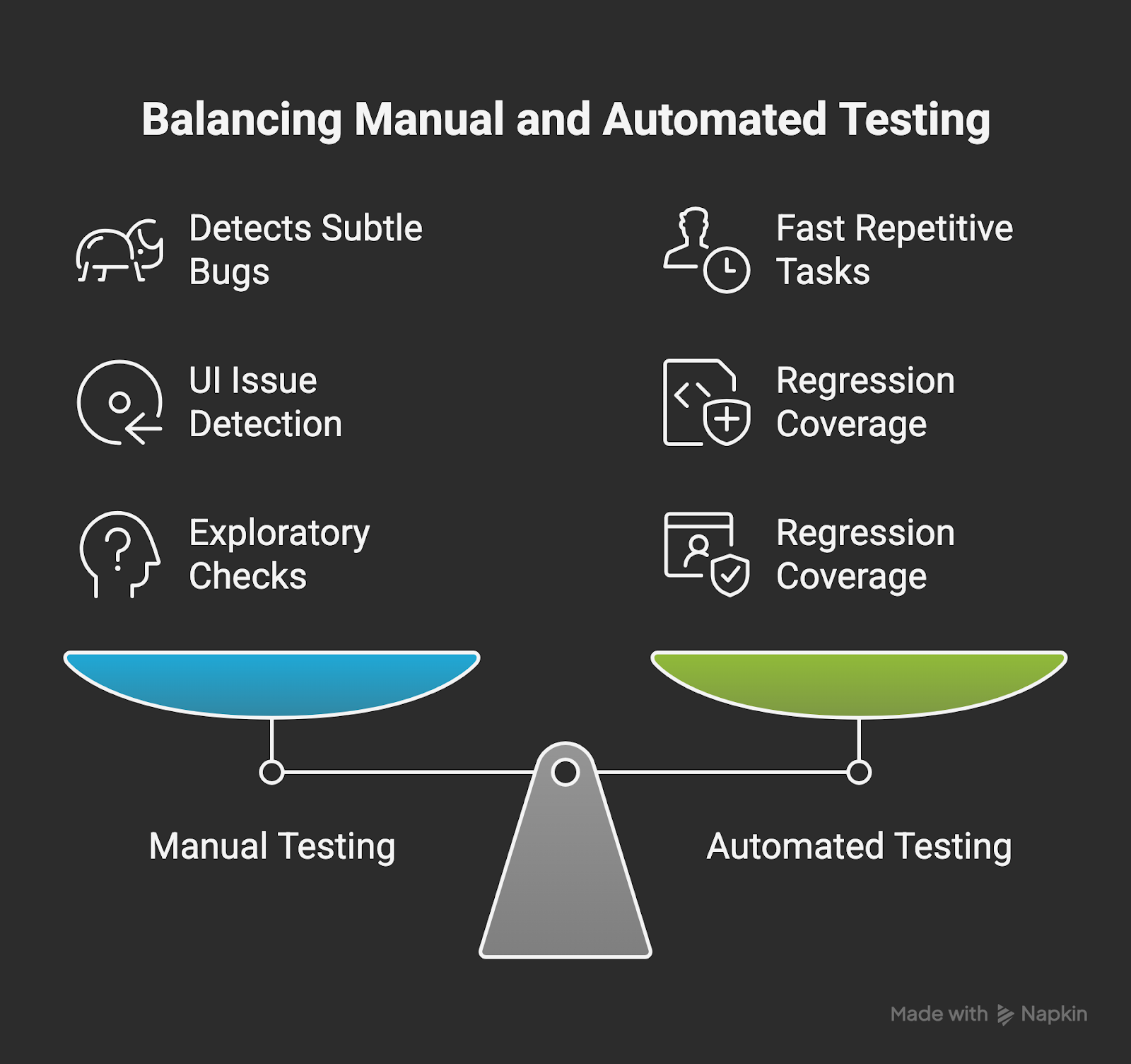
Manual vs Automated Testing Comparison
Manual testing
It focuses on assessing features manually to uncover bugs and usability issues beyond automated coverage.
- Identifies minor defects, interface issues, and unusual scenarios that machines might miss.
- Ideal for ad hoc or visual checks, such as reviewing new UI layouts, feature placement, and design consistency across devices.
- Provides rapid checks for new features ahead of automation.
- Decreases rework and prevents expensive late-stage fixes by catching issues early.
Real-device manual testing across regions helps teams detect UI, compatibility, and workflow issues early.
Automated testing
Testing runs pre-written scripts to quickly validate workflows and ensure system stability, complementing manual testing for broader coverage.
- Supports consistent regression validation and stable flows.
- Automatically executes tests with each build for quick results.
- Reduces manual workload on repetitive tasks while maintaining coverage.
- Improves release speed and brings down long-term QA costs by efficiently running large batches of repeatable tests.
Using both scripted and exploratory tests increases coverage and helps prevent edge-case issues from reaching users.
When to Use Exploratory Testing
Even with planned tests, some issues go unseen. Exploratory testing identifies these gaps, ensuring consistent quality across devices and regions.
We often run exploratory sessions to:
- Identify issues in real-world workflows across devices and regions.
- Catch edge cases that automated or scripted tests might miss.
- Test in contexts with partial or evolving requirements, validating functionality before full specifications are available.
By testing across devices, regions, and scenarios, our team provides insights that help catch rare issues and maintain release stability.
Embedding QA in the Development Lifecycle
QA strengthens collaboration among engineering, product, and design teams while reducing risks throughout the development cycle.
In the past, teams used a waterfall methodology where QA stepped in only at the end of the process, often discovering issues too late to address them efficiently. But now, with agile development, QA is involved from the start, helping teams identify issues before they escalate, resulting in faster, more reliable releases.
When QA is involved early, teams can:
- Test planning: Design test cases aligned with product goals.
- Acceptance validation: Ensure requirements are clear and testable.
- Integration checks: Confirm interconnected systems work smoothly.
- Environment preparation: Ready test environments and data to avoid delays.
For instance, GAT’s global crowd-testing teams tested new features across devices and locales for Canva during market expansion. As the testing team was involved in the beginning of the software development life cycle, the GAT team identified issues in edge cases in design workflows and device compatibility.
What makes a great testing team?
A reliable QA team is the backbone of delivering high-quality software. The best teams combine technical expertise, practical experience, and collaborative processes to provide consistent quality across complex environments.
1. Skills & Mindset
- Deep understanding of testing approaches and supporting tools.
- Careful, user-driven analysis of features and workflows.
- Offers concise, actionable feedback to keep teams moving.
2. Tools & Infrastructure
- Access to a wide variety of real devices, browsers, and operating systems.
- Scalable infrastructure that supports continuous and on-demand testing.
- Seamless integration with tools like Jira, TestRail, and CI/CD pipelines.
3. Process & Culture
- Well-defined responsibilities that keep QA activities structured and predictable.
- Teams hold consistent retrospectives to analyse results and refine testing processes.
- Alignment with product goals, engineering priorities, and release schedules.
Teams integrating these elements deliver dependable results, address issues before they impact users, and keep releases on schedule. Our services strengthen in-house QA through additional tools, infrastructure, and domain expertise.
Choosing the right software testing company
Not all vendors are equal. When evaluating a software testing company, ask:
- Scale with your release cadence.
- Support the types of software you build (web, mobile, API).
- Test under real-world conditions.
- Offer both manual and automated testing.
- Handle localisation, accessibility, and usability testing effectively.
When working with Carry1st, GAT’s global crowdtesting helped validate features across devices and regions, improving checkout reliability and user experience. The right QA partner should fit into your workflows and scale with your releases.
How we think about scalable software testing
Scalable software testing enables growth in users, features, and platforms without compromising quality or reliability.
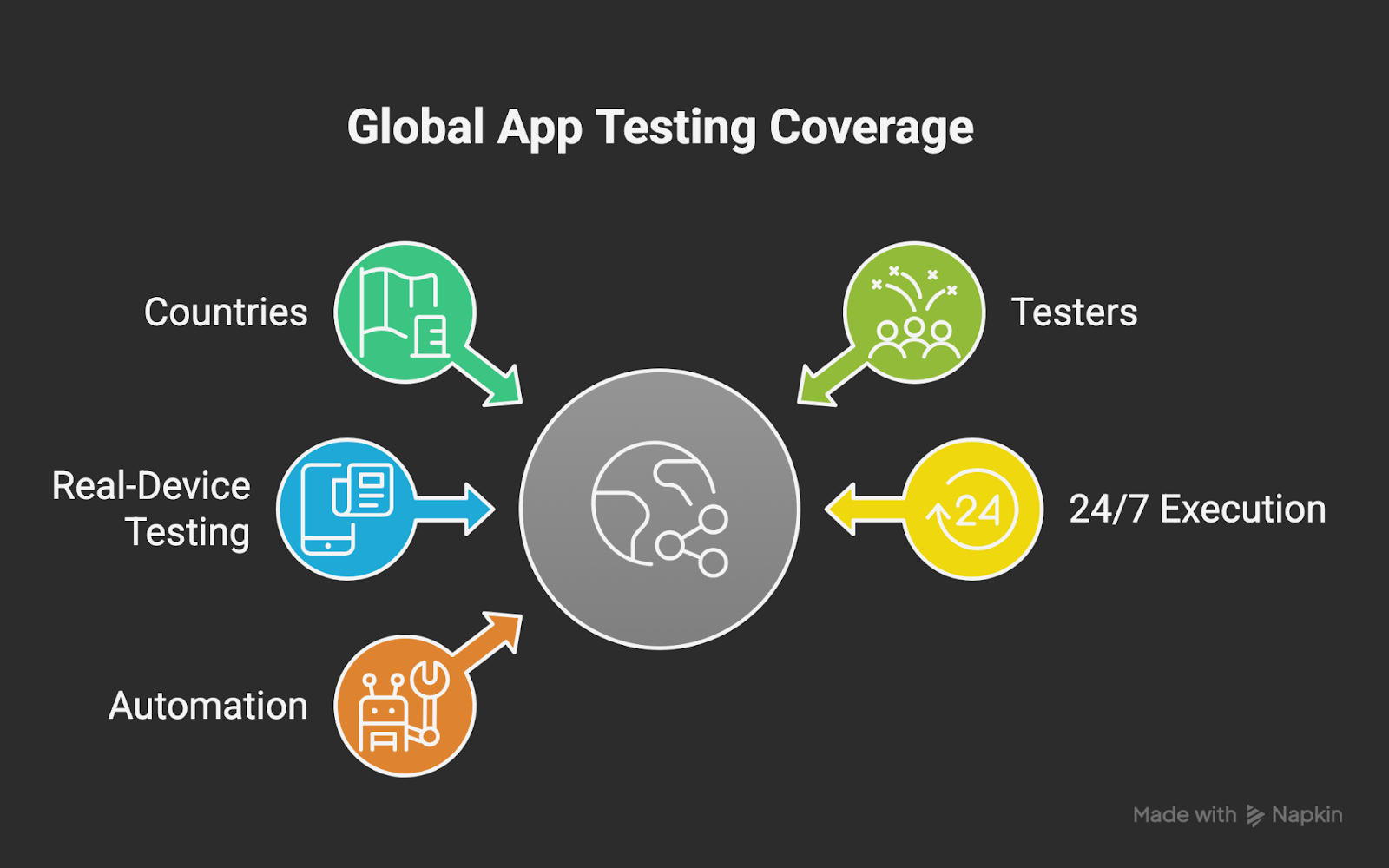
Scalable Software Testing Coverage
We enable it by providing:
- Crowdtesting across 190+ countries and 60,000+ testers.
- Real-device testing for authentic conditions, not just emulators.
- 24/7 on-demand testing ensures issues are caught immediately.
- Continuous automated testing through CI/CD keeps coverage up to date.
Maintaining quality at scale requires thoughtful test planning:
- Prioritise high-risk areas first
- Match test types to key business outcomes
- Combine exploratory and scripted testing
- Keep test cases clean and reusable
These steps help teams maintain quality while keeping up with fast, global releases. Clients like Canva and Booking.com use GAT’s global crowd-testing platform for market expansion with Booking.com specifically reporting improved reliability across devices after using it to uncover critical bugs in key markets.
Reliable software comes from thorough, fast, real-device testing. Embed QA with Global App Testing to ensure every release meets high standards across devices, networks, and regions.