





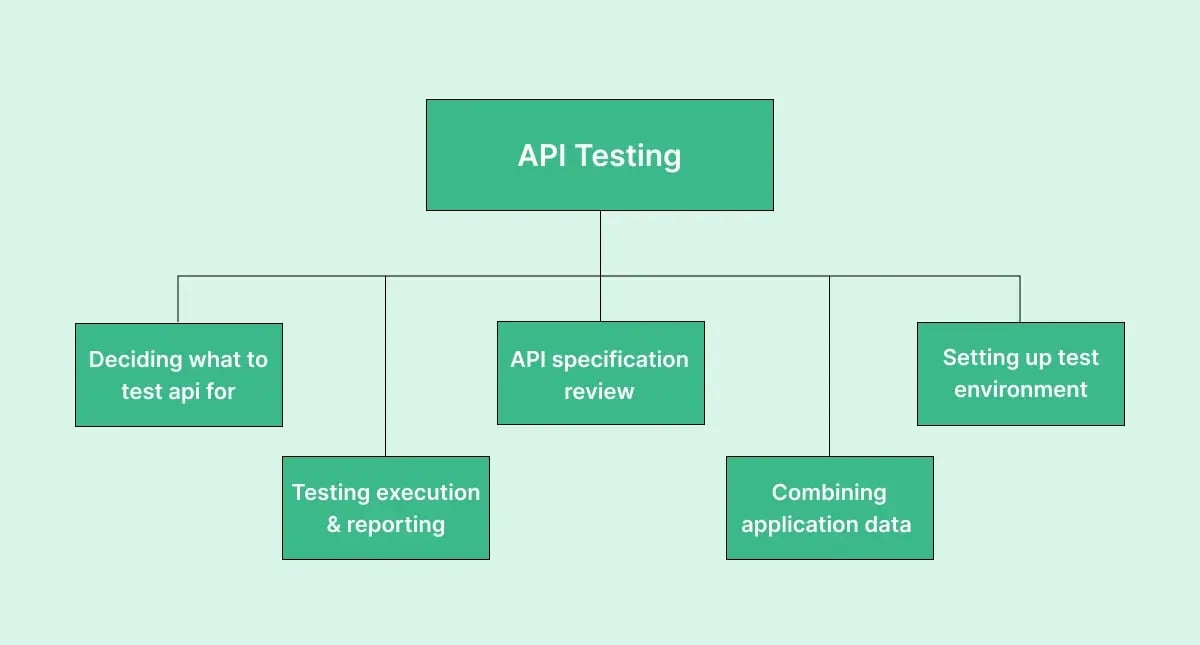
Ensuring your application's smooth and secure operation, especially with millions of daily users, calls for thorough API testing. Identifying vulnerabilities and errors early helps prevent disruptions and protect sensitive data, addressing crucial functionality and security concerns.
In this post, you'll learn how to write manual test cases for API testing, ensuring your systems' integrity and reliability while delivering flawless user experiences and safeguarding your application's reputation. Let's begin!
Key takeaways
- Manual API testing means sending requests to an API by hand and checking the response status code, body, headers and timing, rather than running a scripted suite.
- Every manual API test case needs seven fields: ID, description, pre-conditions, test steps, input data, expected results and post-conditions.
- Cover positive, negative and edge-case scenarios for each endpoint, and prioritise critical and high-risk functionality first.
- Expected results should always name a status code, an acceptable response time and the exact shape of the data returned.
- The eight core types of API testing are functional, load, security, integration, validation, regression, runtime/error detection and penetration testing.
What is manual API testing?
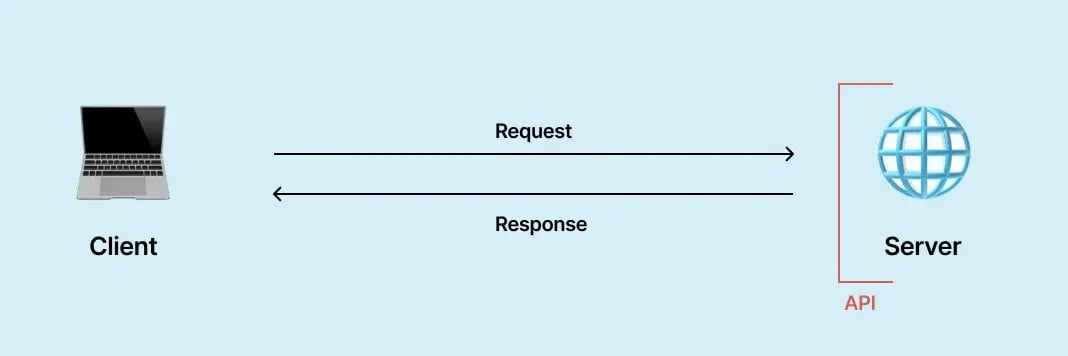
Manual API testing involves testers manually interacting with APIs to validate their functionality, reliability, performance, and security. This process includes sending requests to the API and verifying the responses, ensuring the API performs as expected under various conditions. It helps identify bugs and issues that automated tests might miss, providing an assessment of the API's behavior in real-world scenarios.
Types of API testing
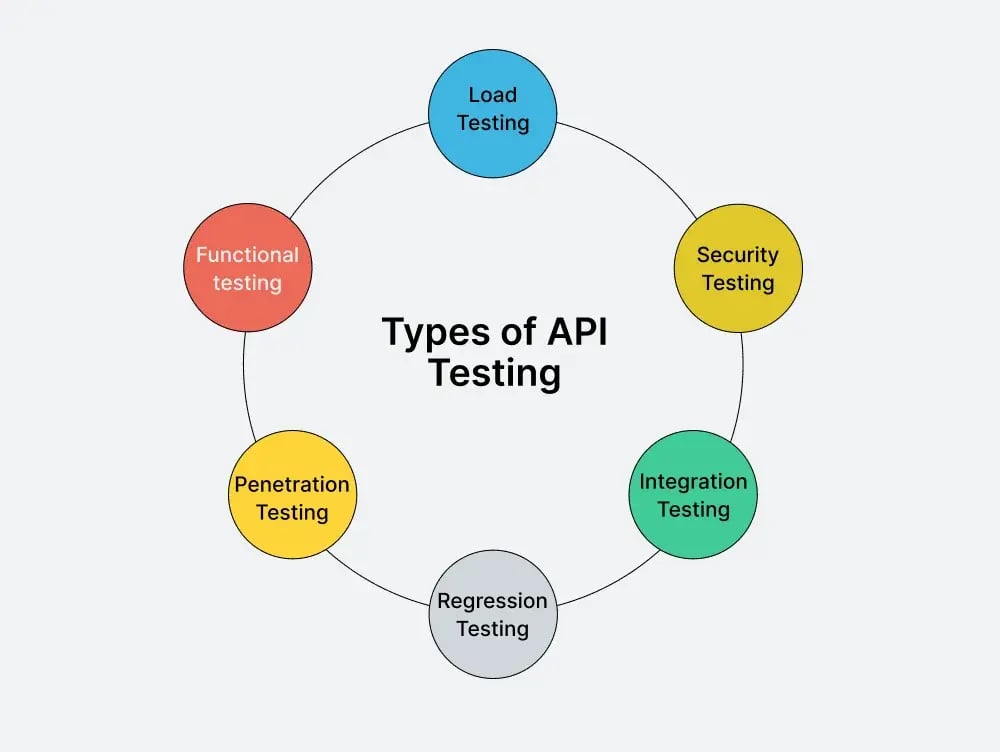
Here are some key types of API testing:
- Functional Testing: Ensures the API functions correctly according to specified requirements.
- Load Testing: Measures the API’s performance under high traffic or data loads to determine its scalability and reliability.
- Security Testing: Assesses the API’s vulnerability to attacks and ensures it handles sensitive data securely.
- Integration Testing: Verifies that the API integrates well with other systems and APIs within the application.
- Validation Testing: Confirms the API's responses and data format are accurate and meet expectations.
- Regression Testing: Checks if recent code changes have negatively impacted existing functionality.
- Runtime/Error Detection: Monitors the API for any performance issues or errors during execution.
- Penetration Testing: Simulates cyber-attacks to identify and address potential security vulnerabilities in the API.
How to write manual test cases for API testing?
Writing test cases is one stage of a wider quality assurance testing process — the steps below cover the API-specific detail. Let's examine a detailed step-by-step guide.
Understand the API documentation
Start by thoroughly reviewing the API documentation. This includes understanding the following key elements:
- Endpoints: These are the specific locations where the API can be accessed. Each endpoint corresponds to a different resource or action within the API.
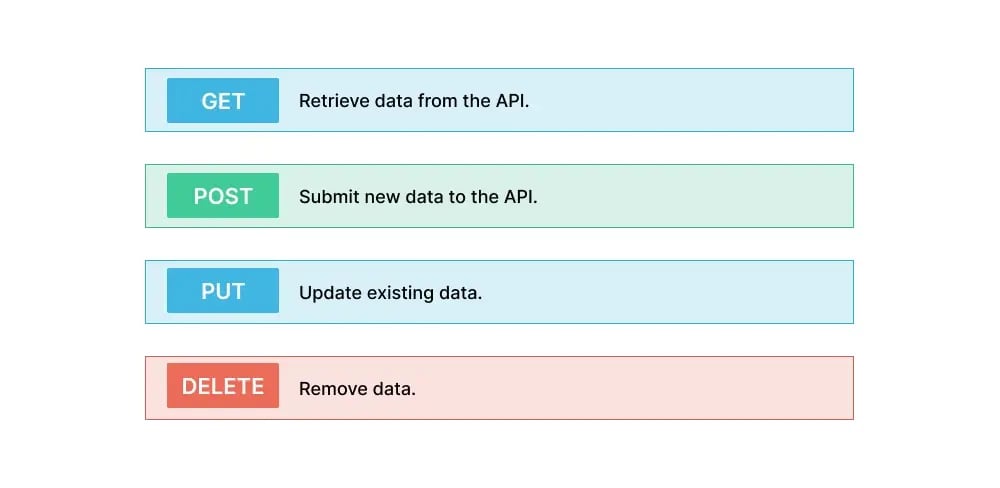
- Request Methods: These indicate the type of action to be performed. Common methods are GET to retrieve data, POST to submit new data, PUT to update existing data, and DELETE to remove data.
- Request Parameters: These are the API's inputs to perform a specific action. Parameters can be query parameters, path parameters, or body parameters.
- Response Formats: The structure and format of the data returned by the API, usually in JSON or XML format. Understanding the expected format helps in validating the responses.
- Authentication Methods: The mechanisms used to verify the user's identity making the request. This can include API keys, OAuth tokens, or other methods.
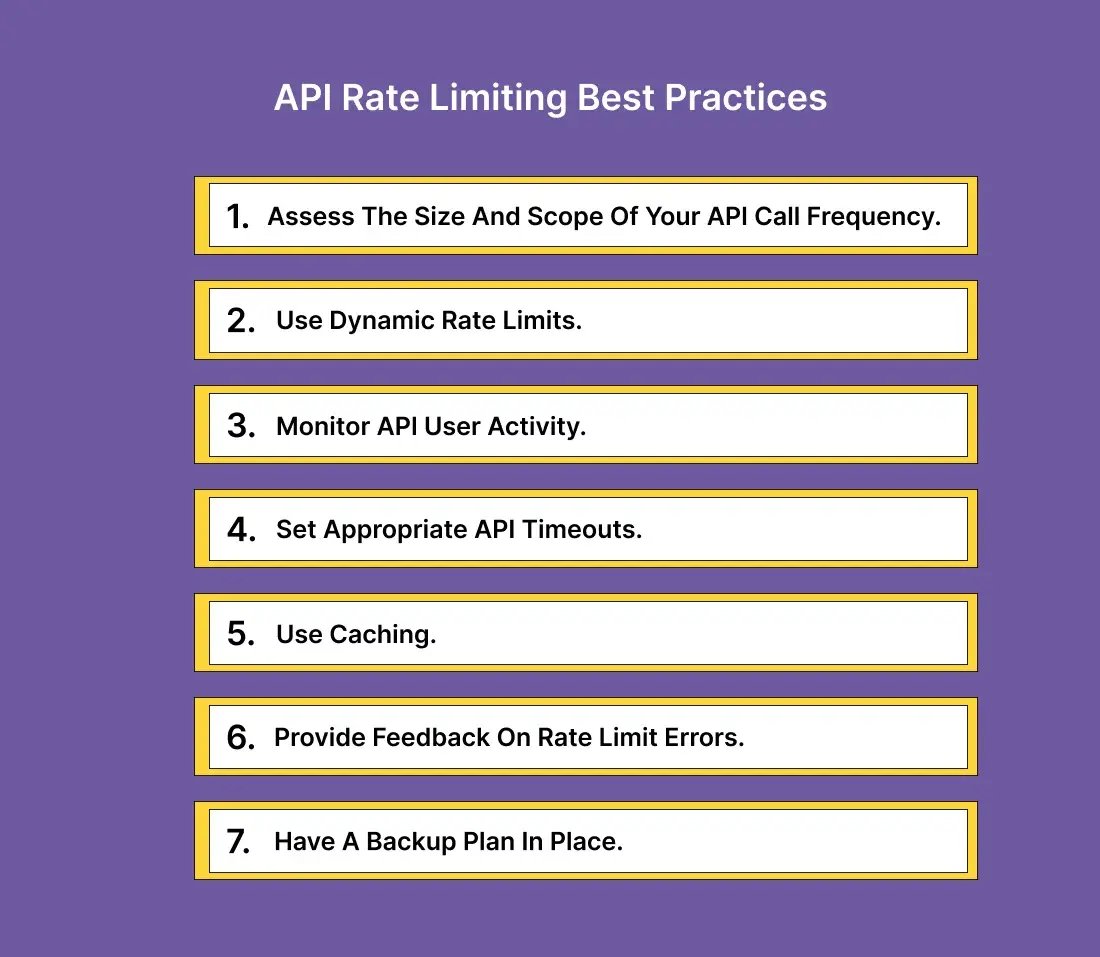
- Rate Limits: The restrictions on the number of requests that can be made to the API within a specific time frame. This prevents abuse and ensures fair usage.
- Restrictions: Any other limitations or rules that govern how the API can be used, such as IP allowlisting or specific user permissions.
Identify test scenarios
Identify all possible scenarios that need to be tested. Some of the possible ones include:
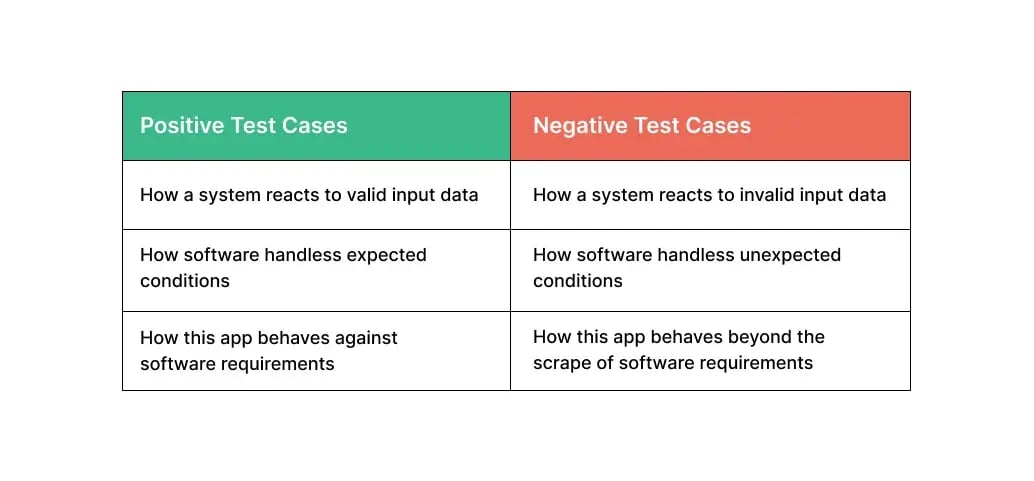
- Positive Test Cases: Scenarios where valid inputs are provided to ensure the API functions as expected.
- Negative Test Cases: Scenarios where invalid inputs are provided to test the API’s error-handling capabilities.
- Edge Cases: Unusual or extreme inputs that might push the API to its limits, such as maximum and minimum values, empty inputs, or large data sets.
Also, consider all aspects of the API’s functionality, including:
- Data Retrieval: Test scenarios where data is fetched from the API using GET requests.
- Data Submission: Test scenarios where new data is sent to the API using POST requests.
- Error Handling: Ensure the API correctly handles errors, such as invalid inputs, unauthorized access, or server errors.
- Security: Verify that the API’s security measures, like authentication and authorization, are functioning properly. This includes testing for potential vulnerabilities and ensuring data privacy.
Prioritize test cases
Prioritize your test cases based on their importance and impact. Focus first on critical functionalities and high-risk areas. This will help ensure that the API's most important features are tested early and thoroughly.
Define input data
Determine the input data for your test cases. This includes both valid and invalid data. For example:
- Valid data: Correctly formatted inputs that the API expects.
- Invalid data: Incorrectly formatted inputs, missing parameters, or boundary values.
Determine expected outputs
For each test case, define the expected output by considering the status code, the response time, and the data returned.
Expected status codes
| Range | Category | What it means |
|---|---|---|
| 100–199 | Informational responses | The request was received and understood; the client should continue, or ignore it if already finished |
| 200–299 | Successful responses | The request was successfully received, understood, and accepted |
| 300–399 | Redirection messages | The user must take further action to fulfil the request |
| 400–499 | Client error responses | The request contains bad syntax or cannot be fulfilled by the server |
| 500–599 | Server error responses | The server failed to fulfil an apparently valid request |
Response times and data returned
- Response Times: Define acceptable response times to ensure the API performs efficiently under various conditions.
- Data Types: Verify the types of data returned, such as strings, numbers, or JSON objects.
- Data Values: Ensure the values meet the expectations outlined in the API documentation and business rules.
Remember that HTTP status codes are a standard for web services, but the concept of expected outcomes is universal. Similar codes or messages indicating success, failure, or specific errors would be used for non-web APIs.
Create test cases
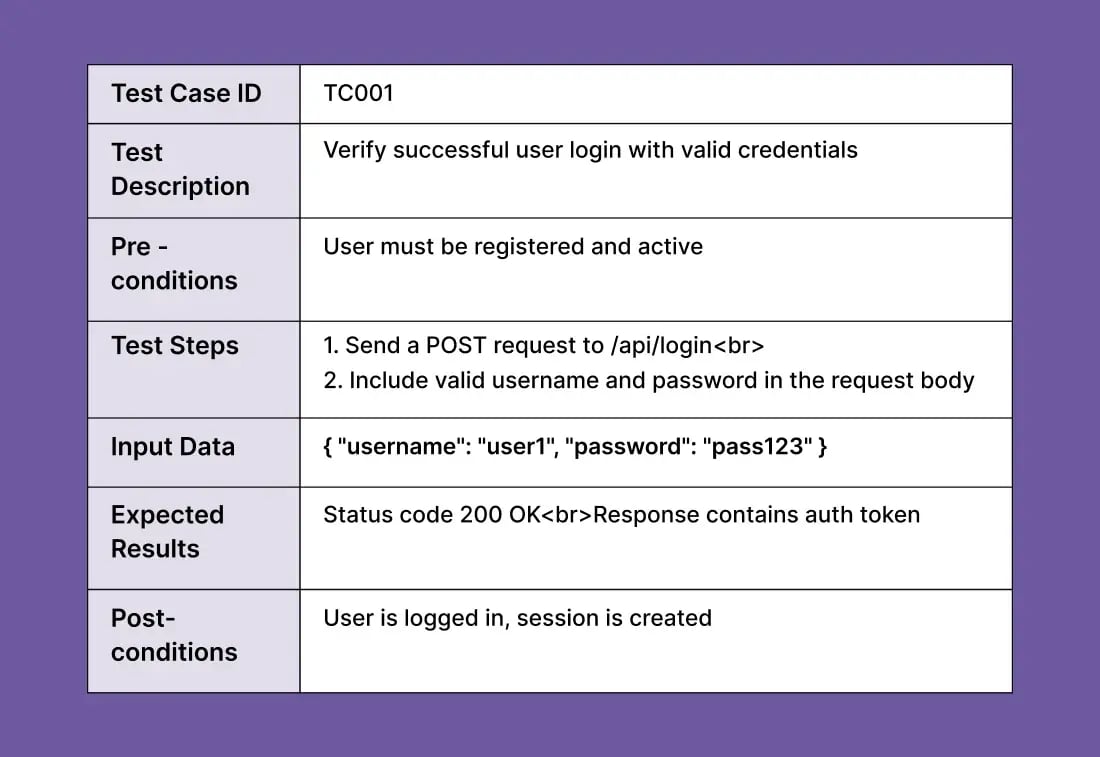
Write detailed test cases that outline the steps to be followed. Each test case should include the following:
- Test Case ID: A unique identifier for each test case.
- Test Description: A brief description of what the test case aims to verify.
- Pre-conditions: Any setup or conditions that must be met before the test can be executed.
- Test Steps: Step-by-step instructions to perform the test, including the method and endpoint.
- Input Data: The data to be sent with the API request.
- Expected Results: The expected outcome of the test, including status codes and response content.
- Post-conditions: The state of the system after the test has been executed.
Execute test cases
Run the test cases manually by using manual testing tools. Follow the steps outlined in each test case, send requests to the API, and record the actual responses.
Analyze the results
Compare the actual results with the expected results. Note any discrepancies or unexpected behavior. This step helps identify API functionality, performance, or security issues.
Report defects
Document any defects found during testing. Provide detailed information about the defect, including steps to reproduce, expected and actual results, and any relevant screenshots or logs. Reporting defects helps developers understand and fix the issues efficiently.
API test case examples
Example 1: Login fails with an invalid password
| Test Case ID | TC001 |
|---|---|
| Test description | Verify login fails with invalid password |
| Pre-conditions | User must be registered |
| Test steps | 1. Send a POST request to /api/login 2. Include valid username and invalid password in the request body |
| Input data | { "username": "user1", "password": "wrongpass" } |
| Expected results | Status code 401 Unauthorized. Error message: "Invalid credentials." |
| Post-conditions | No session is created |
Example 2: Fetching user profile details
| Test Case ID | TC002 |
|---|---|
| Test description | Verify fetching user profile details |
| Pre-conditions | User must be logged in |
| Test steps | 1. Send a GET request to /api/user/profile 2. Include valid auth token in the request header |
| Input data | Auth token: Bearer validtoken123 |
| Expected results | Status code 200 OK. Response contains user profile details |
| Post-conditions | User profile details are retrieved |
Example 3: Creating a new user
| Test Case ID | TC003 |
|---|---|
| Test description | Verify creating a new user |
| Pre-conditions | None |
| Test steps | 1. Send a POST request to /api/user/create 2. Include new user details in the request body |
| Input data | { "username": "newuser", "password": "newpass123" } |
| Expected results | Status code 201 Created. Response contains user ID |
| Post-conditions | New user is created in the system |
API testing checklist
Here is a checklist you can use for your manual API testing:
| Check | What to verify | Status |
|---|---|---|
| Status code | The response status code is as expected | ☐ Done ☐ Pending ☐ Failed |
| Response time | The API response time is within acceptable limits | ☐ Done ☐ Pending ☐ Failed |
| JSON schema validation | The response validates against a predefined JSON schema | ☐ Done ☐ Pending ☐ Failed |
| Response headers | Specific headers are present, such as Content-Type and Cache-Control | ☐ Done ☐ Pending ☐ Failed |
| Response payload | Response data is correct, including fields, values, and nested objects | ☐ Done ☐ Pending ☐ Failed |
| Response size | The size of the response data is within reasonable limits | ☐ Done ☐ Pending ☐ Failed |
| Response encoding | The encoding of the response is correct, for example UTF-8 | ☐ Done ☐ Pending ☐ Failed |
| Pagination | The pagination logic works, if the API supports it | ☐ Done ☐ Pending ☐ Failed |
| Authentication and authorization | Both mechanisms are correctly implemented | ☐ Done ☐ Pending ☐ Failed |
| Error handling | The response is correct when incorrect parameters are passed or errors occur | ☐ Done ☐ Pending ☐ Failed |
| CORS | Cross-Origin Resource Sharing headers are set correctly, if applicable | ☐ Done ☐ Pending ☐ Failed |
| Concurrency and threading | The API handles concurrent requests and threading correctly | ☐ Done ☐ Pending ☐ Failed |
| Rate limiting | Rate limiting is enforced as expected | ☐ Done ☐ Pending ☐ Failed |
| Security | Sensitive data is not leaked in the response and the API follows security best practices | ☐ Done ☐ Pending ☐ Failed |
| Negative testing | The API responds correctly to invalid or unexpected inputs | ☐ Done ☐ Pending ☐ Failed |
| Performance and load | Performance and response time hold under various load conditions | ☐ Done ☐ Pending ☐ Failed |
| Integration | Integration tests pass where the API interacts with other services | ☐ Done ☐ Pending ☐ Failed |
How can Global App Testing assist you with creating your API test cases?
Global App Testing (GAT) provides an API that integrates crowdtesting into your development process, allowing you to manage functional tests for web and native applications. By leveraging GAT's API, you can efficiently launch, monitor, and retrieve test results directly within your existing tools and systems. This integration facilitates continuous integration and deployment, ensuring testing across multiple device combinations in over 190+ countries.
With GAT's API, you can achieve the following:
- Launch functional tests: Execute test cases for web and native applications using professional testers.
- Manage your test case suite: You can import, retrieve, update, and delete test cases from your system to GAT's platform.
- Monitor test status and results: Check the status of recently launched tests and retrieve results, importing them into your systems.
- Seamless integration: Connect GAT's platform with other software, enabling crowdsourced tests at the press of a button.
- End-to-end automation: Integrate with customer development systems to pick up test cases, run tests, and pull results into bug-tracking systems without logging into any platform.
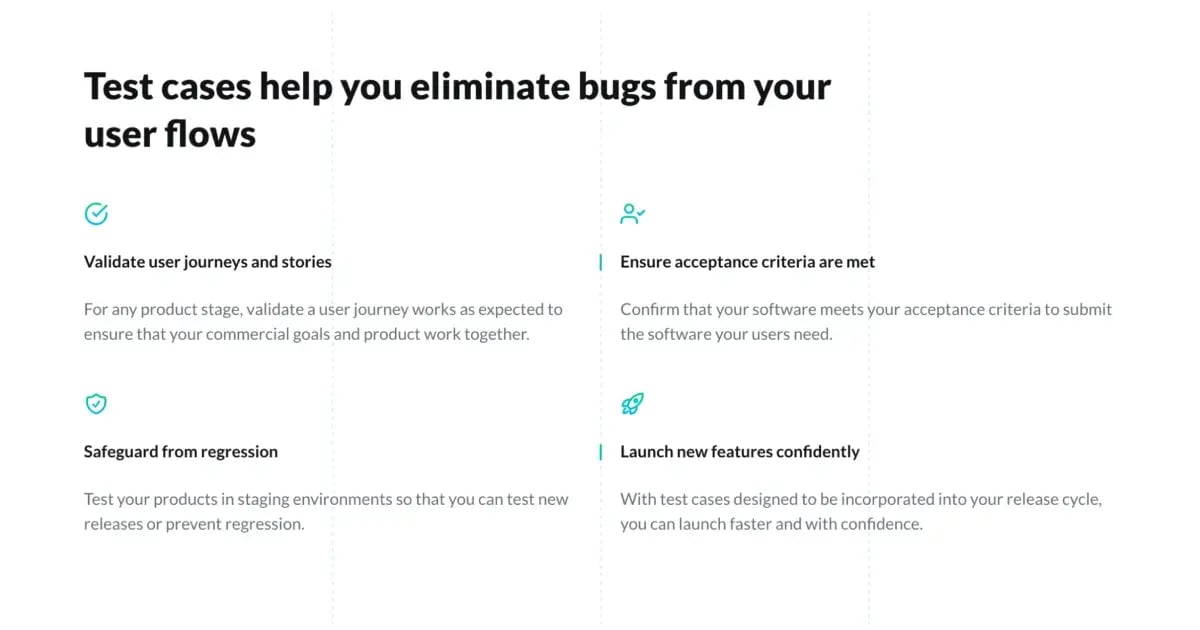
- Streamline regression testing: Ensure new releases are pushed to production only if no critical bugs are found.
You can get started in just two simple steps:
- Obtain your API key so GAT can authenticate your integration’s API requests.
- Make a test API request to confirm everything is up and running.
By utilizing GAT's API, you can streamline your testing processes, ensure higher-quality releases at a faster pace, and unlock team and company efficiencies. Interested in partnering with Global App Testing? Schedule a call with one of our specialists today to discover more.
Frequently asked questions about manual API testing
What is the difference between manual and automated API testing?
Manual API testing means a tester sends each request by hand and inspects the response, which suits exploratory work, one-off checks and behaviour that is not yet stable. Automated API testing runs those same requests from a script on every build, which suits regression coverage and load. Most teams design and validate a case manually, then automate it once it is proven.
What should a manual API test case include?
Seven fields: a unique test case ID, a test description, pre-conditions, the test steps including method and endpoint, the input data, the expected results covering status code and response content, and the post-conditions.
How many test cases do you need per API endpoint?
There is no fixed number, but a workable baseline is one positive case, one negative case for every validation rule, and one edge case for every boundary value such as empty, minimum, maximum and oversized inputs. Endpoints handling authentication or payments usually need more.
Do you need coding skills for manual API testing?
No. You need to read API documentation, understand HTTP methods and status codes, and interpret JSON or XML responses. A tool that sends requests and displays responses is enough to start. Coding becomes relevant when you move to automation.
What are the most common mistakes in manual API testing?
Testing only the happy path, checking the status code but not the response body, ignoring response headers and timing, failing to reset state between tests so results depend on run order, and testing endpoints in isolation without integration checks.
Which status codes should a manual API test check for?
Check the exact code, not just the range: 200 for a successful read, 201 for a successful create, 400 for malformed input, 401 for a missing or invalid credential, 403 for an authenticated user without permission, 404 for a missing resource, 429 for rate limiting, and 500 for a server fault.
Keep learning
9 Best bug tracking tools to keep testing fluid
10 Best load testing tools to consider
5 Generative AI testing tools to consider